My Store
Sales Through Personal Conversation
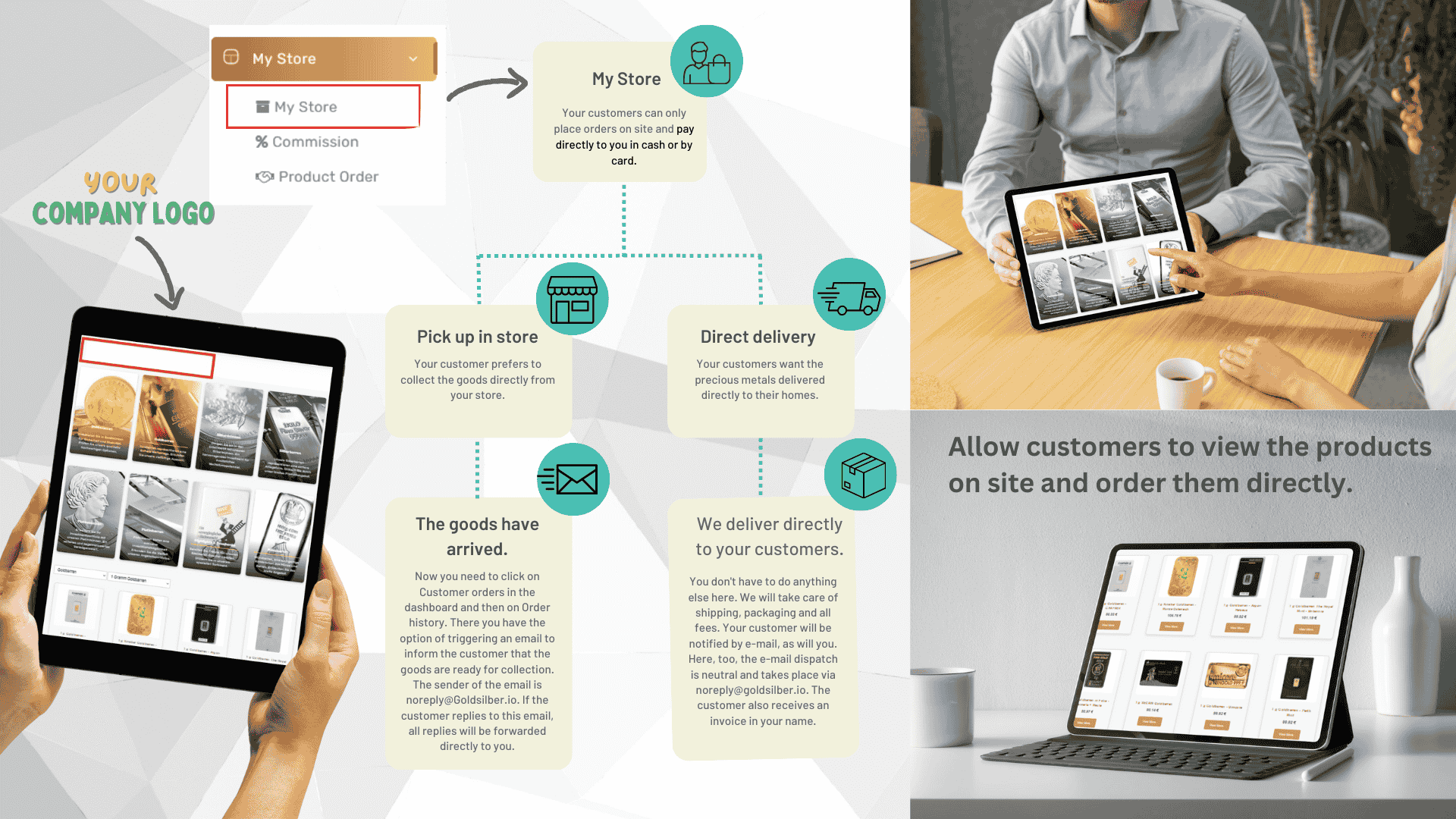
With MyStore, you process orders together with your customer. The interface guides you clearly through the entire process – from product selection to purchase confirmation.
Payment is made directly to you – whether in cash or by bank transfer. You retain full control over the payment flow and then only forward the product value minus your margin to us.
Three Ways to Sell
Whether direct handover, in-store pickup, or home delivery – MyStore adapts to the customer’s preference.
My Store
Present the product range directly at the counter and accept payment on-site – cash or by card.
In-Store Pickup
The ordered products are delivered to your business address and personally collected by the customer.
Direct Delivery
Upon request, we ship the order insured directly to your customer’s address.
Direct Delivery Process
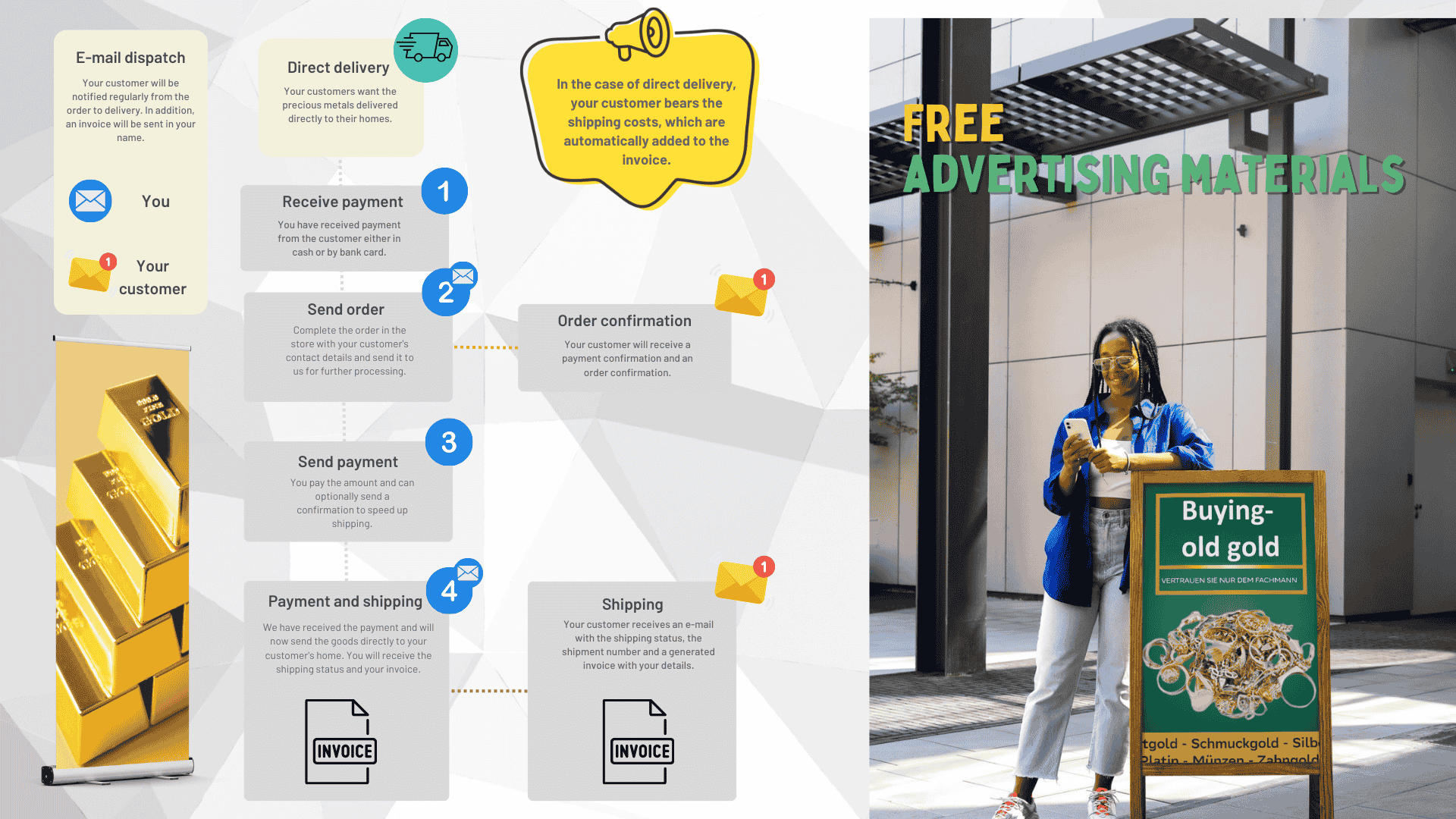
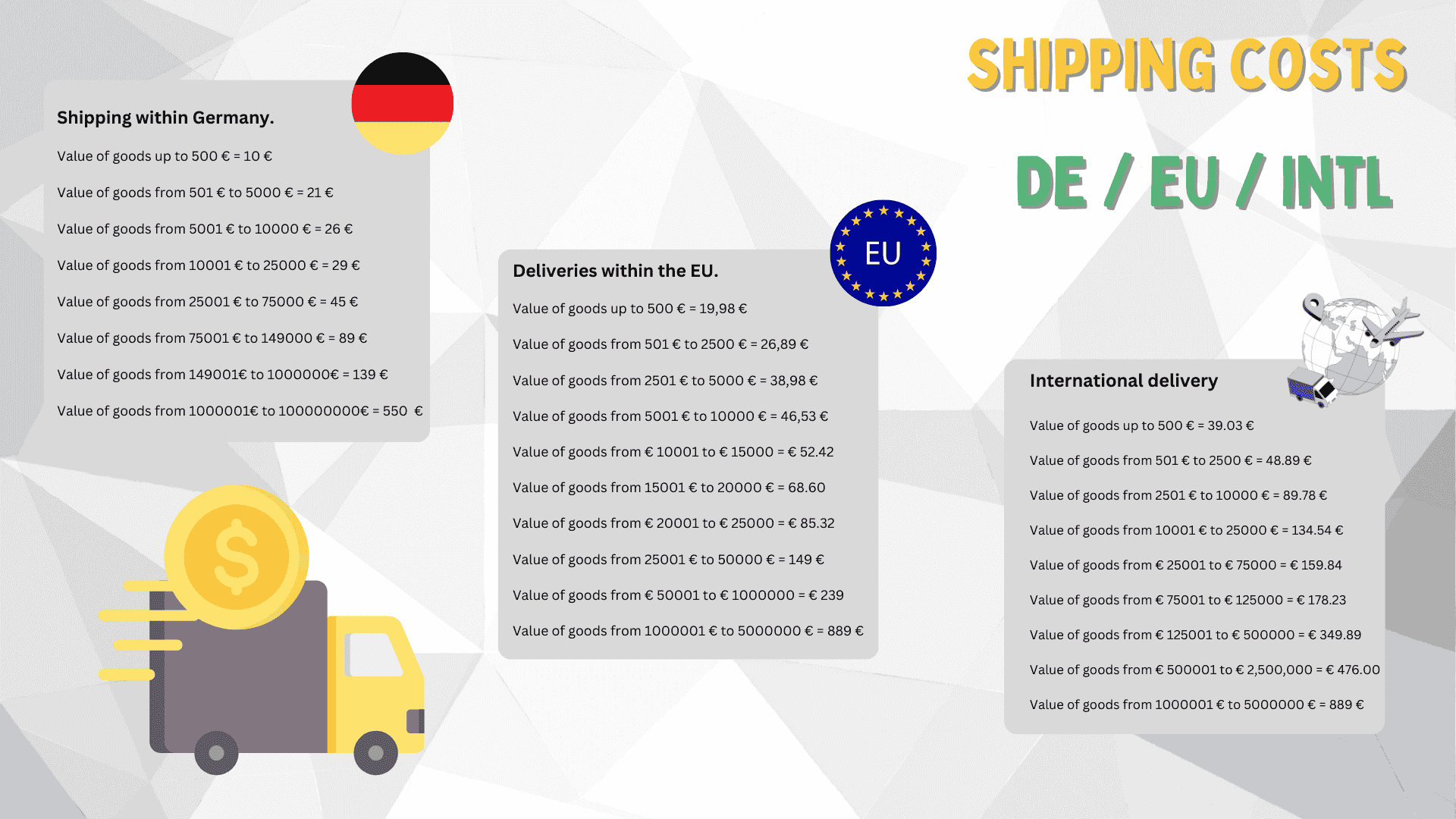
If your customer chooses delivery to their address, the shipping costs are automatically added to the invoice and borne by the customer.
Accept Payment
Your customer pays for the order with you – either in cash or by bank transfer.
Enter Order
Create the order in the system, activate the “Direct Delivery” option, and enter the delivery address. The customer is automatically notified by email.
Transfer Product Value
Forward the invoice amount minus your margin to us – by bank transfer or another accepted method.
Shipping and Invoicing
Upon receipt of payment, we ship the goods insured to your customer’s address. Both parties – you and your customer – receive a separate invoice.
Free Promotional Materials – Professional print templates and digital advertising materials are provided to you free of charge.
In-Store Pickup Process
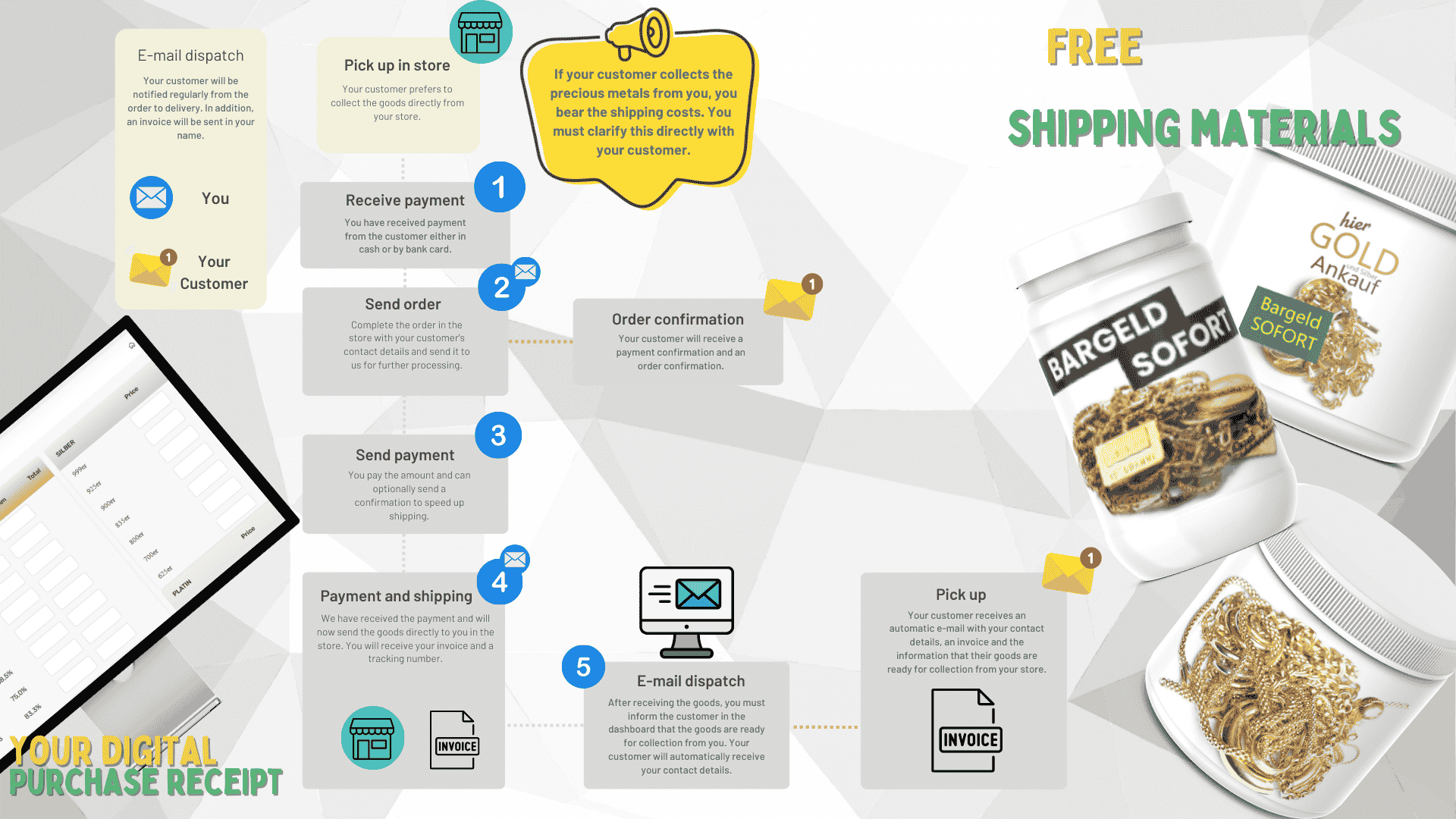
For personal pickup, the goods are delivered to your business address. Who covers the shipping costs can be individually arranged between you and your customer.
Accept Payment
Accept the purchase price directly from your customer – in cash or by bank transfer.
Create Order
Enter the order in the system and select “In-Store Pickup” as the delivery option. An automatic confirmation is sent to the customer.
Transfer Product Value
Transfer the amount to us after deducting your margin – by bank transfer or another agreed payment method.
Delivery to Your Store
Once your payment is received, we ship the goods to your business address. Invoices are issued to both you and your customer.
Handover to the Customer
Your customer is notified by email as soon as the goods are ready for pickup. Then update the status in your dashboard.
Free Shipping Materials
Instant Cash
Your Digital Purchase Receipt
Your Business, Your Rules
With MyStore, you design the sales process according to your preferences. Payment stays in your hands, shipping runs in the background – and you always maintain an overview of your orders and margins.