Purchase Receipt
From Paper Receipts to Digital Purchase Records
If you want to convert your purchase documentation to a digital format, you’ll find the right tool here. You create every receipt directly in the system and individually decide whether the seller receives an electronic copy via email. All transactions are permanently stored in your dashboard and can be accessed at any time.
The corresponding menu item in the dashboard is divided into two areas: the creation of new receipts and the complete transaction history with all previously recorded purchases.
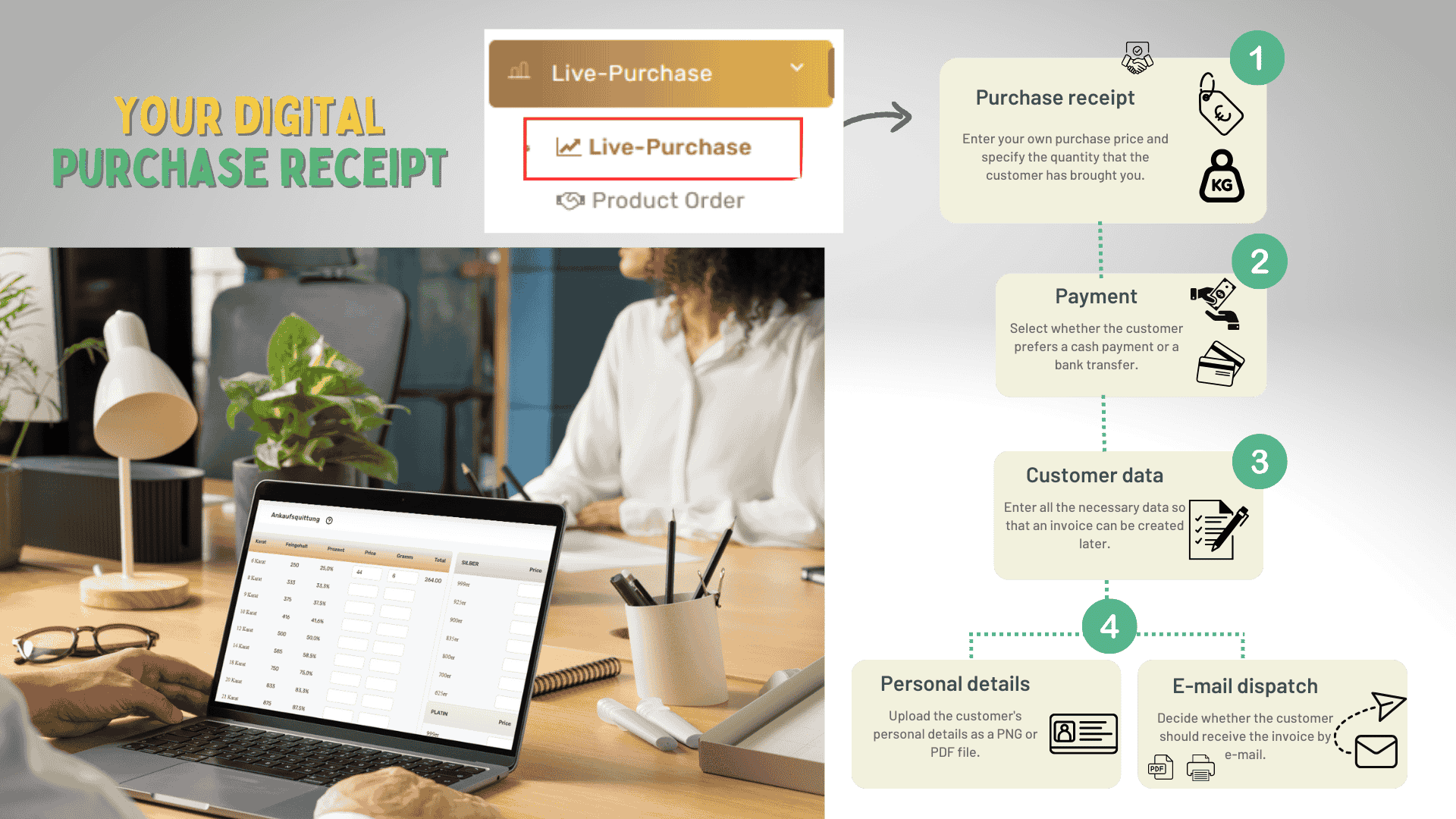
Five Steps to a Completed Receipt
Record Item and Purchase Price
Enter the agreed purchase price and document the type and scope of the delivered goods.
Select Payment Method
Specify whether the payout should be made in cash or via bank transfer.
Enter Seller Details
Record the necessary contact and address information of the seller for invoicing purposes.
Upload Proof of Identity
Add a copy of the identification document in PNG or PDF format.
Configure Receipt Delivery
Finally, determine whether the seller should receive an electronic copy of the receipt.
Documentation at the Push of a Button
Record every purchase transaction fully digitally. All receipts are automatically archived and permanently available in your dashboard.